Bitcoin Ubuntu Campus
Learn Bitcoin through live, interactive activities
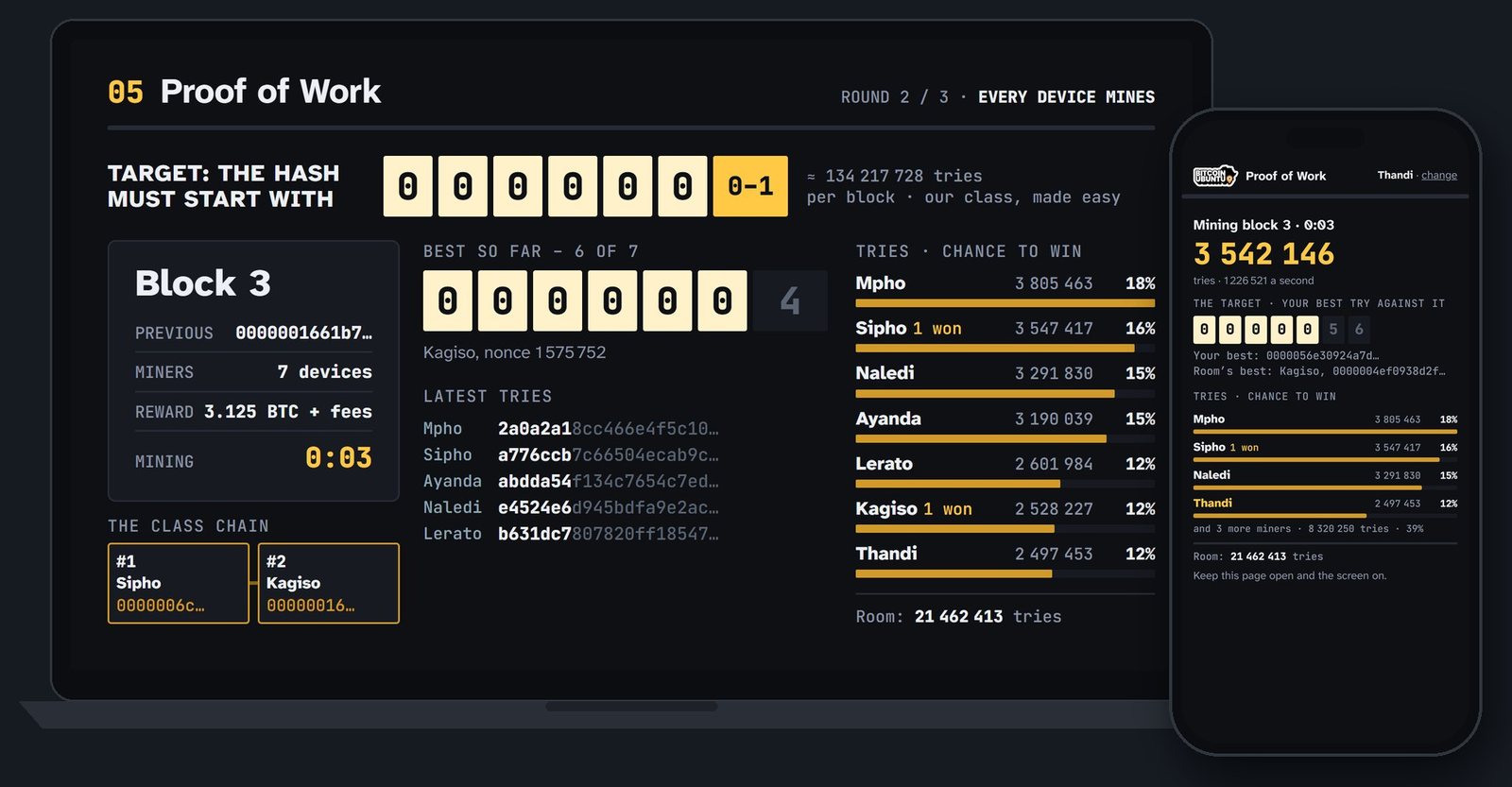
Hour-long sessions, online or in person. Use your phone or PC to participate in group learning activities: mine blocks, open channels and make payments with everyone else, while the shared screen shows the whole class at work.
No app to install, no account registration, no bitcoin needed.
- Lessons
- 13
- Tracks
- 4
- Minutes a session
- 60
How a lesson works
Every lesson is taught live by a Bitcoin Ubuntu teacher, and every learner takes part from their own device.
-
Join from your browser
Scan the QR code on the shared screen, or open the link your teacher gives you, and choose a nickname.
-
Learn by taking part
Join in group activities, games and quizzes from your own device, and learn how Bitcoin works by trying it for yourself.
-
See the whole class
The shared screen shows everyone's activity, live, as it happens.
Upcoming sessions
Times are shown in UTC and in your own time.
No open dates right now
Lessons are arranged with each class: schools, meetups and communities. Ask about a place in the next one, or about a lesson for your own group.
Ask about a lessonThe lessons
Every lesson stands on its own: take one, or a whole track in order.
Taught by Bitcoin Ubuntu
Bitcoin Ubuntu has helped teach numerous cohorts of online Bitcoin students across Africa. We built the Campus from that experience, to make learning online more engaging and interactive.
About Bitcoin UbuntuQuestions
Do I need any bitcoin?
No. Any coins you use in class are practice coins with no value. In Invoices and real sats, learners who already have a Lightning wallet can receive a few real sats (small amounts of real bitcoin) from Bitcoin Ubuntu; nobody has to take part.
Does mining on my phone earn money?
No. Mining in class is an exercise: your device really does the work, but on the class chain, so it earns nothing and costs nothing but a little battery. Be wary of any app that promises to pay you for mining on a phone.
Is it safe for my device and my money?
Lessons run in the browser and install nothing. The practice keys you make stay on your device and guard nothing of value. No lesson ever asks for your real recovery phrase, and nobody honest ever will.
How do I join an online lesson?
Online lessons run over a video call (typically via Google Meet). Your class gets the call link and the lesson link from its teacher; this page doesn't publish them.
Can you teach my group?
Yes: a school class, a meetup, a community project or a corporate workshop. Lessons work best with about 8 to 25 participants, online or together in one room on one Wi-Fi network. Tell us who you are and which lessons interest you.
Join a lesson, or bring one to your group
Message us and we'll tell you about the next class, or plan a lesson with you.
Both open WhatsApp with a message ready to send. Prefer Telegram? Message us there.